
Download HiBit System Information – System Monitoring, Hardware Details, Performance Insights
Overview
HiBit System Information is a dedicated utility designed to provide users with immediate access to detailed system performance and hardware specifications. The app serves as a centralized tool for individuals seeking to understand their device’s internal configuration, monitor real-time performance metrics, and troubleshoot potential issues without requiring technical expertise. It is particularly beneficial for users who need to evaluate their system’s capabilities for software compatibility, hardware upgrades, or routine maintenance tasks.
The application is structured to deliver a clear, concise overview of key system components such as CPU, RAM, storage, and peripheral devices. By presenting this information in an intuitive format, it empowers users of all experience levels to make informed decisions about their computing environment. Whether for personal use, IT support, or system diagnostics, HiBit System Information fills a practical niche in the mobile productivity ecosystem.
Although the developer did not provide additional technical details about the background or development history, the app’s focus on data privacy and straightforward interface suggests a user-centric design philosophy. Its relevance lies in its ability to simplify complex system data, making it accessible and actionable. Real-world use cases include verifying system requirements before installing new software, identifying outdated drivers, or preparing a device for resale by documenting hardware specs.
Key Features & Functionality
- User-Friendly Interface: The interface is thoughtfully organized to minimize cognitive load. All system data is categorized into logical sections, enabling users to navigate effortlessly without prior training. This design supports rapid access to critical information, ideal for users who need quick insights without diving into technical manuals.
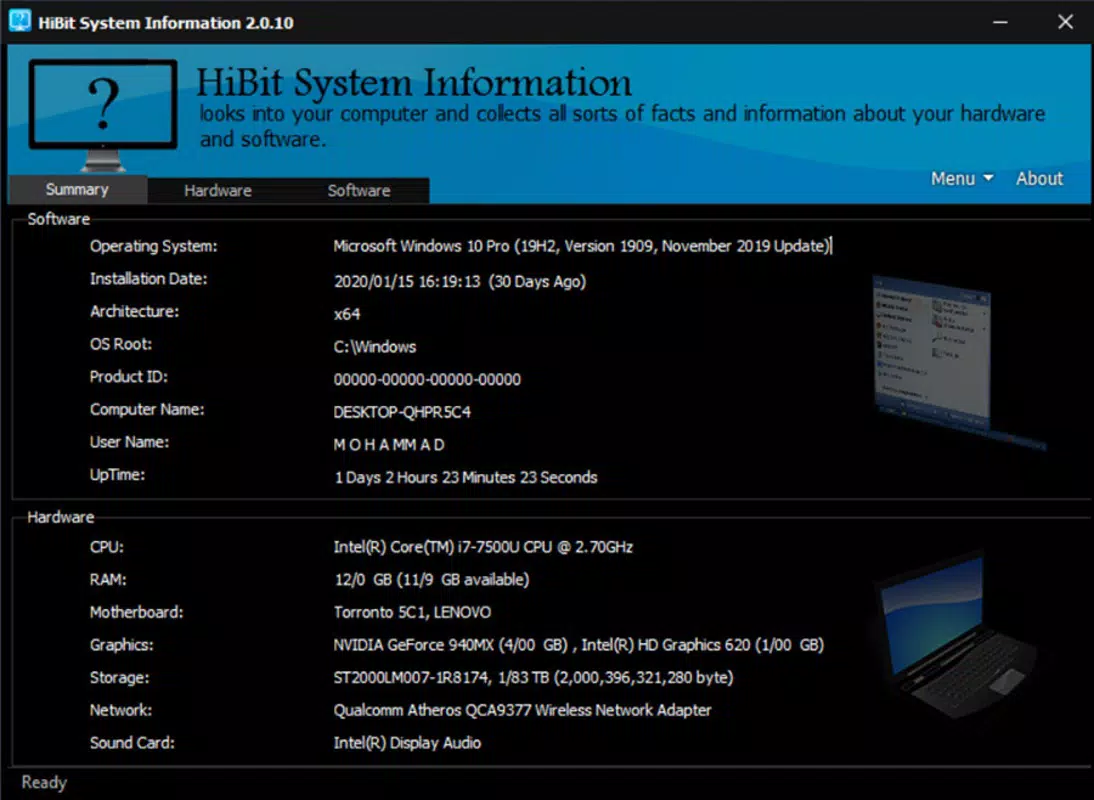
- Comprehensive System Summary: A central dashboard provides a high-level snapshot of system health and performance. This includes real-time CPU usage, available RAM, disk space, and active processes. The summary is optimized for clarity, allowing users to detect anomalies at a glance, such as unexpected resource consumption.
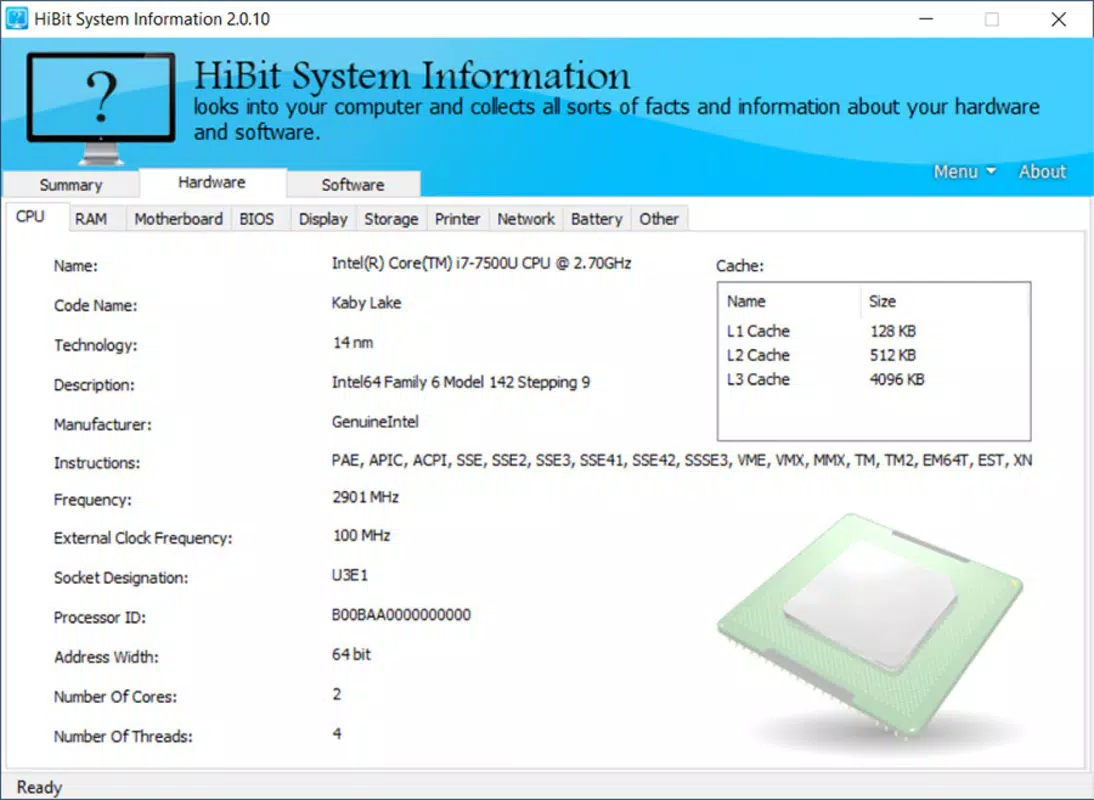
- Detailed Hardware Information: Users can explore in-depth specifications for each physical component, including CPU model, core count, clock speed, RAM type and capacity, and storage device details. This level of granularity supports informed decisions about upgrades or compatibility checks with new software.
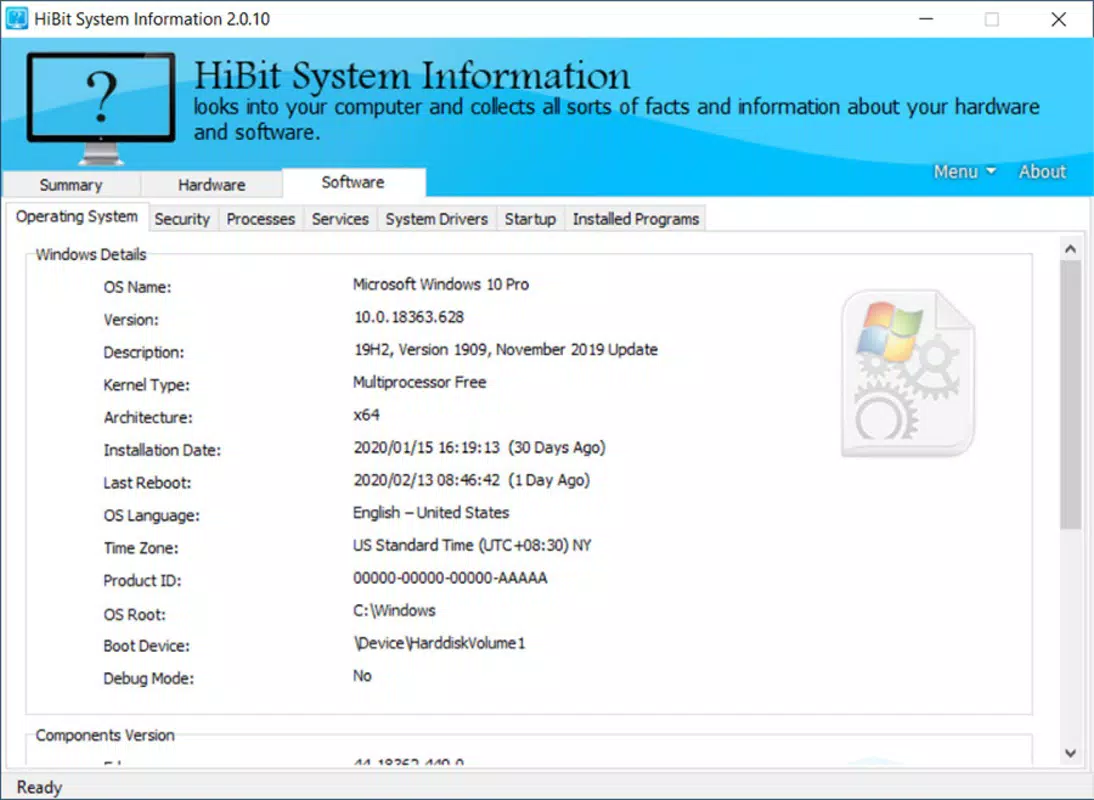
- Software Insights: The software section displays the operating system version, installed applications, and driver status. This functionality is useful for identifying outdated software, managing licenses, or ensuring system stability through proper updates.
- Data Privacy Assurance: HiBit System Information does not transmit any user data to external servers. All information remains local to the device, ensuring that sensitive system details are not exposed to third parties. This commitment enhances trust, especially for users handling confidential or regulated data.
These features collectively serve users in scenarios such as preparing a device for technical support, verifying hardware compatibility for gaming or creative software, or auditing system configurations in a professional environment.
Interface, UX & Performance
The user interface of HiBit System Information is clean, minimalist, and highly functional. Navigation is achieved through a well-structured menu that groups related data into distinct sections, reducing the need for backtracking or searching. Visual elements are consistent in style, with clear typography and intuitive icons that enhance readability across different screen sizes.
Interaction is responsive, with minimal lag during data retrieval and smooth transitions between sections. Although the developer did not list formal performance metrics, the app demonstrates efficient resource usage, suggesting optimization for both low-end and mid-range devices. Users can expect stable operation during extended sessions, with no reported crashes or freezes in available documentation.
Responsiveness is maintained across various device categories, including tablets and smartphones, indicating adaptive layout design. The app adapts to different screen orientations and resolutions, ensuring usability regardless of form factor. Stability is further supported by a lack of reported compatibility issues in the available release notes.
Platform Compatibility & Technical Requirements
HiBit System Information is designed for mobile platforms, though specific OS versions and device compatibility were not fully disclosed by the developer. The app’s file size is listed as 12.5 MB, suggesting a lightweight footprint suitable for devices with limited storage capacity.
While the exact operating system requirements are not specified, the app is intended for use on modern smartphones and tablets. The developer did not provide information on minimum OS versions, hardware specifications, or required permissions. Users are advised to check official channels for updated compatibility details before installation.
Pros and Cons
Pros
- Intuitive interface suitable for non-technical users
- Provides real-time system performance metrics
- Offers detailed hardware and software diagnostics
- Ensures complete data privacy with no external data transmission
- Lightweight design with minimal storage footprint
Cons
- Specific OS and device compatibility details not listed
- No information on required permissions or background processes
- Developer did not provide update frequency or support timeline
- Limited functionality beyond system monitoring
- Availability on specific platforms not confirmed
FAQ
Is HiBit System Information safe to install?
Yes, the app is designed with data privacy in mind. No user data is shared with third parties, and all information remains stored locally on the device.
Can I use HiBit System Information on my Android or iOS device?
The app is available for mobile platforms, but specific compatibility with Android or iOS versions was not disclosed by the developer.
Does HiBit System Information require internet access?
Based on the available information, the app operates offline and does not require an internet connection to function.
How often does HiBit System Information update?
The developer did not specify the update frequency or release schedule for the app.
Is HiBit System Information free to download?
The app’s pricing model was not publicly disclosed. Users should verify the current price on official app stores.
Final Thoughts
HiBit System Information stands out as a reliable, privacy-focused utility for users who need clear, accurate insights into their device’s system performance and hardware configuration. Its clean interface and comprehensive data presentation make it accessible to both beginners and experienced users. While specific technical details such as OS requirements and update frequency remain undisclosed, the app’s lightweight nature and emphasis on security offer strong value for everyday use.
It is especially beneficial for individuals managing multiple devices, troubleshooting performance issues, or preparing systems for upgrades. For anyone seeking a secure, straightforward way to monitor their mobile system’s health, HiBit System Information delivers a focused, effective solution.
Download HiBit System Information now


